
Responsive galleries, sliders, videos, popups, and logo showcases
Upgrade to
SlideGallery Pro
SlideGallery helps you showcase images, videos, logos, screenshots, portfolios, and other visual content through responsive galleries and an advanced popup viewing system.
Create traditional slider galleries, smooth continuously scrolling showcases, transparent logo strips, and mixed-media galleries that combine images and videos in a single presentation. Visitors can open media in a fullscreen popup viewer with zoom controls, navigate through grouped collections, and explore large images without leaving the page.
Beyond galleries, SlideGallery can also turn individual images throughout your website into connected popup experiences using a simple CSS class. Group separate images together, open linked media instead of the displayed thumbnail, and create richer visual experiences without building a dedicated gallery for every piece of content.
Whether you're showcasing products, photography, client logos, screenshots, tutorials, videos, or marketing content, SlideGallery gives you flexible display options while remaining responsive across desktop, tablet, and mobile devices.
Mixed media galleries
Combine images and videos in the same gallery for richer presentations and demonstrations.
Advanced popup viewer
Turn galleries, images, and figures into zoomable popup experiences with grouped navigation.
Continuous scrolling showcases
Create smooth endlessly looping galleries and logo strips without the jarring rewind effect.
Transparent logo displays
Show logos and transparent artwork naturally without forcing them into boxed gallery cards.
Showcase more than just images
SlideGallery is a responsive media showcase plugin for WordPress designed to present images, videos, logos, screenshots, portfolios, and visual content in a clean, flexible way.
At its core, SlideGallery creates responsive slider galleries that automatically adapt to different screen sizes while giving you control over how media is displayed. Choose how many items are visible, adjust aspect ratios, control image fitting, set movement speed, and decide whether galleries move as traditional step sliders or smooth continuously scrolling showcases.
Unlike galleries that are limited to static images, SlideGallery supports mixed media presentations. Images and videos can be combined within the same gallery, making it suitable for product showcases, software demonstrations, tutorials, portfolios, and marketing content where a single media type is not enough.
A major part of SlideGallery is its popup viewing system. Media can be opened in a fullscreen modal viewer that supports zooming, navigation, and high-resolution viewing. Large screenshots, tall infographics, long product images, and detailed photography remain easy to explore without forcing visitors away from the page.
The popup system is not limited to galleries. Any image or figure can be transformed into a popup-enabled item using a simple CSS class. Multiple images placed throughout a page can be grouped into a shared popup collection, allowing visitors to move between related images even when those images are not part of the same gallery. Images can also open linked media instead of the displayed thumbnail, providing flexibility for high-resolution assets, alternate media versions, and future content types.
For businesses and agencies, SlideGallery also includes presentation modes that work particularly well for logos and brand showcases. Transparent images can be displayed without being forced into bordered cards, allowing logo strips and partner showcases to blend naturally into the surrounding design.
Whether you need a simple image slider, a continuously scrolling logo showcase, a mixed-media gallery, or an advanced popup viewing experience, SlideGallery provides the tools to present visual content in a way that suits your website.
SlideGallery Free vs ProVERSION: 01.06 |
 Free
Free
|
 Pro
Pro
|
|---|---|---|
| Gallery builder with unlimited galleries | ✓ | ✓ |
| Shortcode placement | ✓ | ✓ |
| Responsive carousel layout | ✓ | ✓ |
| Desktop & mobile visible controls | ✓ | ✓ |
| Drag-and-drop media reordering | ✓ | ✓ |
| Modal popup viewer | ✓ | ✓ |
| Keyboard navigation | ✓ | ✓ |
| Image captions with HTML caption support | ✓ | ✓ |
| Continuous scrolling galleries with adjustable slide speed, pause timing, and left or right direction. | ✓ | ✓ |
| Selectable aspect ratios | ✓ | ✓ |
| Cover/crop and contain/fit thumbnail modes | ✓ | ✓ |
| Crop position controls | ✓ | ✓ |
| Standalone popup images via simple CSS class | ✓ | ✓ |
| Grouped popup image collections | ✓ | ✓ |
| Full resolution modal images with low-resolution preview while loading | ✓ | ✓ |
| Video media support, with video playback in gallery | No | ✓ |
| Video autoplay in modal popup | No | ✓ |
| Per-item custom links, with option to open link in new tab | No | ✓ |
| Transparent logo mode | No | ✓ |
| Hide navigation arrows and disable popup modal | No | ✓ |
| Automatically open non-image links in popup including PDFs, videos, and even webpages. | No | ✓ |
| PDF support, and multi-page scroll support in modal popup. | No | ✓ |
| Pricing | Free |
Only $9.90 per year
or $29.00 for Lifetime |
Core features (free version)
Responsive slider galleries
The foundation of SlideGallery. Create image galleries that automatically adapt to desktop, tablet, and mobile devices while maintaining full control over visible items, movement, aspect ratios, and presentation.
Advanced popup media viewer
Open images in a fullscreen viewer with keyboard navigation, zoom support, and high-resolution viewing.
Large screenshots, infographics, long images, and detailed photography remain easy to explore without leaving the page.
Standalone popup images
Popup viewing isn't limited to galleries.
Apply a simple class to any image or figure and SlideGallery automatically turns it into an interactive popup experience. Apply .sgpop to an <img> or <figure> to enable click-to-open modal popup.
Standard link supported popups
Any standard <a> link on any object that has the .sgpop class will open that link to an image in the popup.
Grouped popup collections
Connect separate images throughout a page into a shared viewing experience.
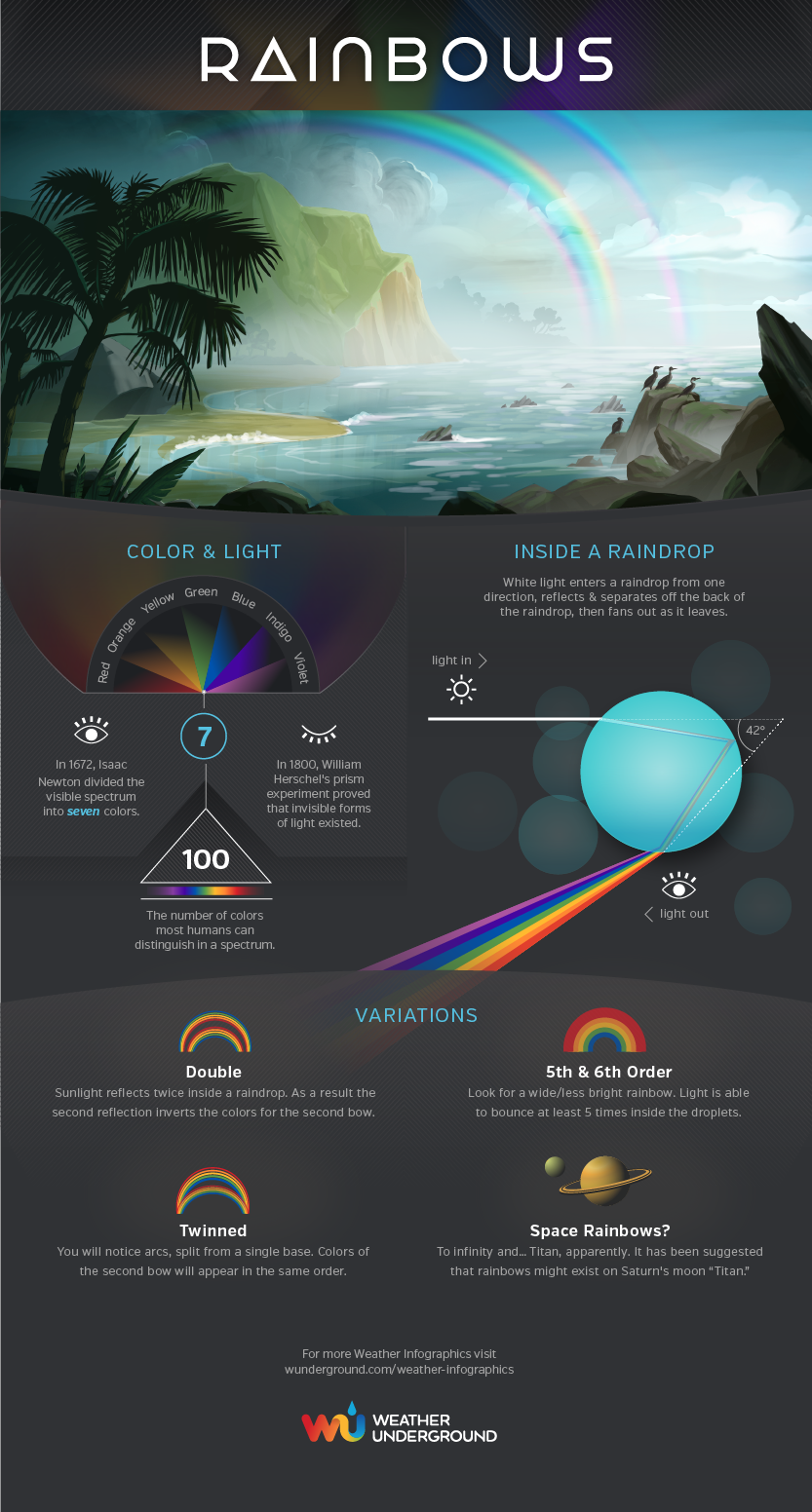
Visitors can move between related images even when those images are not part of the same gallery. You can group items together so images only navigate with other in the popup with the same group – simply append a group name to the .sgpop class like so .sgpop-GroupName, in this case the image below in the left column, and the image below in the right column are grouped using .sgpop-infographic for their classes. The below middle image is simply using .sgpop and therefore not grouped with the other two.


Continuous scrolling galleries
Create smooth endlessly looping showcases for logos, testimonials, products, screenshots, and featured content.
Unlike traditional sliders, galleries continue moving naturally without reversing direction at the end.
Flexible gallery presentation
Control how many items are visible at once, choose aspect ratios, thumbnail fitting, crop positioning, speed, direction, and gallery behaviour to suit different content types.
High resolution viewing
Display lower-resolution previews instantly while larger media loads in the background for smoother viewing.
Pro features
Mixed media galleries
Combine images, videos, pdfs, and even web pages (beta) within the same gallery.
Perfect for product showcases, software demonstrations, tutorials, case studies, and portfolio presentations.
Transparent logo & brand showcases
Display transparent PNG, SVG, and logo artwork naturally without gallery cards or boxed containers.
Ideal for client logos, sponsors, partners, certifications, and brand collections.
Custom media destinations
Allow gallery items to open custom URLs instead of the displayed media.
Turn galleries into navigation systems, portfolio indexes, product showcases, or marketing call-to-actions.



Functional classes
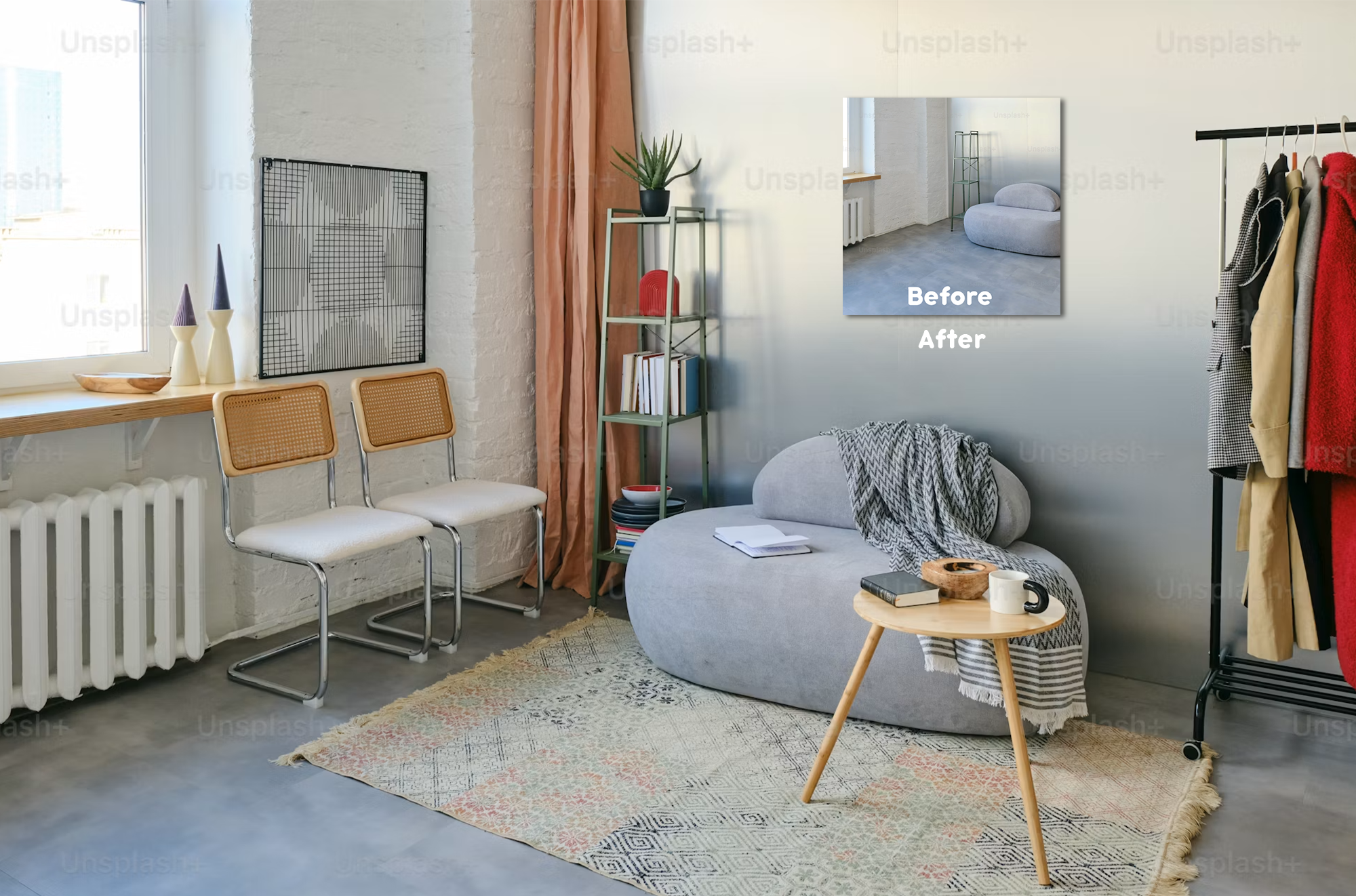
Scale: You can set the scale of the popup item by using the .sgscale-* class. If we want an image to open at 80% scale, we do this like this: class="sgpop sgscale-80". This works on iframe contents too.
Lock (.sglock): The optional .sglock class disables interaction with iframe content and prevents image zooming within the popup. This is useful when you want visitors to view content without accidentally clicking links, interacting with embedded webpages, or zooming images.
The Open Website example above uses:
class="sgpop-mediadestinations sgscale-50 sglock"
This opens the linked webpage inside the popup, groups it with the other media items, scales the popup to 50% of the available size, and disables iframe interaction while still allowing mouse-wheel scrolling.
The Guess Me example uses:
class="sgpop-mediadestinations sgscale-60 sglock"
This opens the linked image in the popup, scales it to 60% of the available size, and disables the image zoom feature while retaining normal popup navigation.
Standard link supported popups
Any standard <a> link on any object that has the .sgpop class will open that link in the popup. This includes images, videos, PDFs, and even web pages.
Example: Link to the same image as the last image link above. The popup modal automatically removes any duplicates so when navigating the group inside the popup, it only shows it once. This allows linking to the same item multiple times without making the popup navigation arkward.
Video playback support
Include video content directly within galleries and popup viewers.
Create richer media experiences without splitting content across separate sections.
Custom aspect ratios
The pro version allows custom aspect ratios of your gallery thumbnails rather than needing to use the standard available ratios.
Container-based popup images
You can add a popup to all images in a container that has a class set to .sgpop-all-images too. Any image in that container will have the popup applied. Any item in the container with existing popup settings will continue to use the existing settings set.
Interactive marketing galleries
Combine images, videos, links, and popup experiences into a single gallery designed around user engagement rather than simple image viewing.
Extra slider settings
You can set the spacing between thumbnails, as well as the padding for each SlideGallery you build. Make the slider fit the gallery you need.
Use cases
Photography portfolios
Display photography collections with fullscreen viewing and zoom support.
Software screenshots
Present screenshots, interfaces, tutorials, and feature walkthroughs.
Client logo showcases
Create continuously scrolling partner and sponsor displays.
Product galleries
Show products using images, videos, and popup viewing.
Training & documentation
Group screenshots and diagrams into connected popup collections.
Creative portfolios
Present design, illustration, photography, and creative work professionally.
Event & travel galleries
Showcase large image collections that remain responsive across devices.
Marketing landing pages
Combine galleries, videos, logos, and linked media to support campaigns and promotions.
Responsive galleries, sliders, videos, popups, and logo showcases
Upgrade to
SlideGallery Pro
SlideGallery helps you showcase images, videos, logos, screenshots, portfolios, and other visual content through responsive galleries and an advanced popup viewing system.
Create traditional slider galleries, smooth continuously scrolling showcases, transparent logo strips, and mixed-media galleries that combine images and videos in a single presentation. Visitors can open media in a fullscreen popup viewer with zoom controls, navigate through grouped collections, and explore large images without leaving the page.
Beyond galleries, SlideGallery can also turn individual images throughout your website into connected popup experiences using a simple CSS class. Group separate images together, open linked media instead of the displayed thumbnail, and create richer visual experiences without building a dedicated gallery for every piece of content.
Whether you're showcasing products, photography, client logos, screenshots, tutorials, videos, or marketing content, SlideGallery gives you flexible display options while remaining responsive across desktop, tablet, and mobile devices.